- 1 What These Tools Actually Do (In Plain English)
- 2 Why This Comparison Matters More Than It Seems
- 3 The Real Example: Same Workflow, Three Different Bills
- 4 n8n vs Zapier: Head to Head
- 5 A Second Real Example: A Small Agency's Client Reporting Workflow
- 6 Full Pricing Comparison
- 7 Who Should Choose Which
- 8 FAQ Section
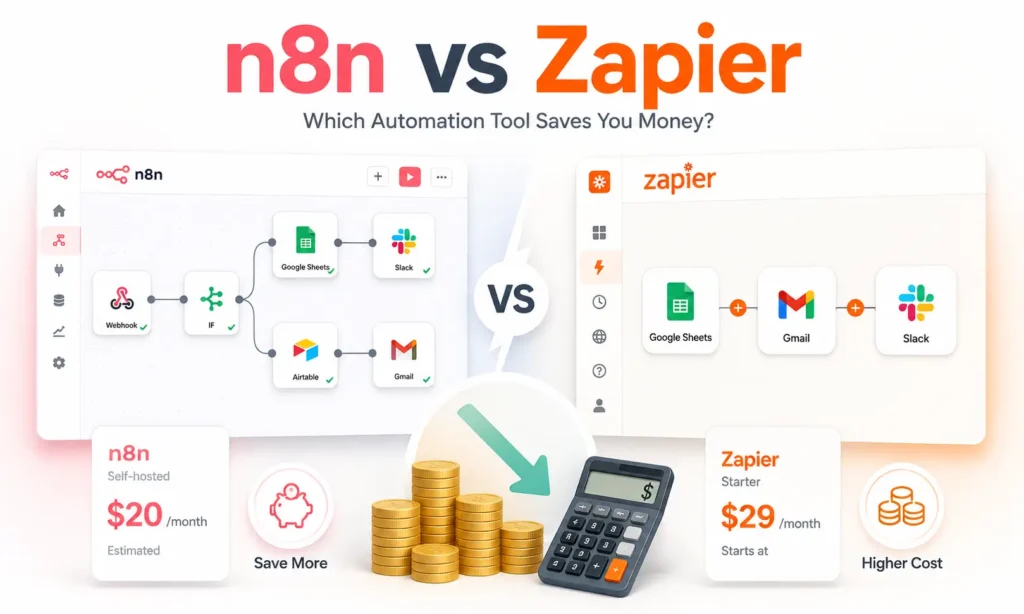
Quick answer: In the n8n vs zapier comparison, n8n wins decisively on cost, especially at real business volume, but Zapier wins on ease of use and sheer number of ready-made integrations. A workflow that costs $50/month on n8n can cost $250-400+/month on Zapier for the exact same result. The right choice depends on whether your team is comfortable with a little technical setup, not on which tool is “better” in the abstract.
If you’ve searched zapier vs n8n, you’ve probably found a lot of feature-comparison articles that don’t actually answer the question that matters: what will this cost me once I’m actually using it? Here’s that answer, with real numbers, and an honest look at where each tool genuinely wins.
What These Tools Actually Do (In Plain English)
All three tools in this space, Zapier, Make, and n8n, do the same basic job: they connect apps you already use (Gmail, Slack, your CRM, a spreadsheet) so that when something happens in one, something automatically happens in another. Someone fills out a form, and their details get added to your CRM automatically. A new lead comes in, and a welcome email goes out without you touching it.
This is often called “no-code automation,” meaning you build these connections visually, dragging and connecting boxes on a screen, rather than writing traditional programming code. This kind of visual workflow builder is what all three tools are built around, though n8n also lets you write custom code if you want more control, something Zapier doesn’t really offer. Some newer AI agent platforms, like Gumloop, work similarly but focus more specifically on AI-driven tasks rather than general app-to-app connections, we cover that category separately in our guide to free AI agents.
Why This Comparison Matters More Than It Seems
Picking between n8n and Zapier feels like a small decision, but it compounds. A business running even a modest amount of automation, a few thousand actions a month, can end up paying dramatically different amounts over a year depending on which platform they picked at the start. And switching later, while genuinely possible, still means rebuilding workflows and retraining your team on a new interface. Getting this decision right early saves both money and a future migration headache.
The Real Example: Same Workflow, Three Different Bills
Here’s where this gets concrete. Imagine a workflow that runs 10,000 times a month, each run has 8 steps (a realistic setup: a new lead comes in, gets checked against your CRM, added if new, tagged, an email sent, a Slack message posted to your team, a spreadsheet updated, and a follow-up scheduled).
- On n8n Cloud: roughly $50/month. n8n counts the whole workflow run as one unit, not each individual step.
- On Make: roughly $150-200/month. Make counts each step (called an “operation”), so an 8-step workflow run 10,000 times racks up 80,000 operations.
- On Zapier: roughly $250-400+/month. Zapier also counts each step (called a “task”), and its per-task pricing is the steepest of the three as volume grows.
That’s a genuine 5-8x difference for the exact same automation, just because of how each platform counts and bills your usage. This is the single most important thing to understand before picking a tool, the sticker price on each platform’s homepage tells you almost nothing about what you’ll actually pay once you’re using it for real work.
n8n vs Zapier: Head to Head
Self-hosting vs. cloud-only
This is the biggest structural difference in the whole n8n vs zapier comparison. Zapier only runs on Zapier’s own servers, you have no other option. n8n gives you a genuine choice: run it yourself for free (called “self-hosting,” meaning it runs on your own computer or a rented server instead of someone else’s, using a tool called Docker to set it up), or pay for n8n’s managed cloud version if you don’t want to deal with any technical setup at all.
How you’re billed
Every automation is built from “triggers and actions”, a trigger is the event that starts the workflow (a form submission, a new email), and actions are everything that happens afterward (sending a message, updating a record). Zapier bills per task, meaning every single action step that runs counts against your limit. n8n Cloud bills per execution instead, meaning the entire workflow run, no matter how many actions it contains, counts as one unit. This is the core reason for the price gap in the example above.
Ease of use
Zapier is genuinely the easiest of the two to pick up with zero technical background. Its visual builder is simpler, and it has the largest library of ready-made, one-click integrations, meaning pre-built connections to popular apps that require no setup beyond logging in. n8n’s interface is also visual and doesn’t require coding for basic use, but it has fewer pre-built, one-click integrations than Zapier, though you can connect to almost any tool that has what’s called an API (a way for two pieces of software to talk to each other), it just takes a bit more setup on your end.
AI and agent features
Both platforms added real AI capabilities recently. Zapier launched AI Actions and natural-language workflow creation, meaning you can describe what you want in plain English and it builds the workflow for you. n8n went further on the technical side, with direct support for building genuine AI agents, not just simple automations, which matters if you’re planning to combine workflow automation with the kind of agent-based tools we covered separately.
Free tier, honestly compared
n8n’s free, self-hosted version has no execution limit at all, the only real cost is a small server fee (as little as $5-10/month) and your own time to set it up. Zapier’s free plan is much more limited, capped at a small number of tasks per month, and is really built for testing a single simple automation, not real ongoing use across a team.
Where Make Fits In
If you’re weighing make vs zapier specifically, Make.com sits in a genuinely useful middle position: cheaper than Zapier at the same volume (Make can run 70-80% cheaper than Zapier for equivalent usage), with a more visual, flowchart-style builder than Zapier’s more linear one, but without needing the technical setup n8n’s self-hosted option requires. If self-hosting feels like too much but Zapier’s pricing feels too steep, Make is worth testing before committing to either extreme. In the broader make vs zapier decision, Make tends to win for teams that want more complex, multi-branch logic than Zapier easily supports, without going all the way to n8n’s technical flexibility.
A Second Real Example: A Small Agency’s Client Reporting Workflow
To make this less abstract, here’s a smaller-scale example many marketing agencies actually run: a workflow that pulls campaign data from an ad platform, formats it into a report, and emails it to a client every week. That’s roughly 5 steps, run 4 times a month (once per client, weekly) across, say, 15 clients, which works out to around 300 runs a month. At this smaller scale, the cost gap is less dramatic but still real: Zapier’s task-based billing would count this as 1,500 tasks a month, comfortably within a mid-tier plan, while the same workflow on n8n Cloud counts as just 300 executions, likely fitting within the lowest-cost tier or even the free self-hosted option entirely. The gap only gets more dramatic as an agency adds clients or automations, which is exactly why it’s worth picking the right tool before scaling up, not after.
Full Pricing Comparison
| Zapier | Make | n8n (Self-Hosted) | n8n Cloud | |
|---|---|---|---|---|
| Billing unit | Per task (each step) | Per operation (each step) | Free, unlimited | Per execution (whole workflow) |
| Entry price | ~$19.99/mo (750 tasks) | ~$9/mo (Core plan) | Free + ~$5-10/mo server cost | ~$20-24/mo (2,500 executions) |
| At 10,000 runs/mo, 8 steps each | $250-400+/mo | $150-200/mo | ~$5-10/mo | ~$50/mo |
| Self-hosting option | No | No | Yes | N/A (managed for you) |
| Best for | Non-technical teams, fastest setup | Budget-conscious teams, visual workflows | Technical teams, high volume | Teams wanting n8n without server management |
Switching Is Easier Than You’d Think
If you’re currently on Zapier and considering a move, most individual automations (“Zaps”) take just 1-3 days to rebuild on Make or n8n, based on typical migration timelines reported by teams that have made the switch. This isn’t an all-or-nothing decision either, plenty of teams run Zapier for a few simple, low-volume automations while moving their highest-volume workflows to n8n or Make specifically to cut costs.
Who Should Choose Which
There’s no single best workflow automation software, only the right fit for your team’s situation:
- Your team has zero technical comfort and volume is low: Zapier. The premium you pay is genuinely the cost of not having to think about infrastructure at all.
- You want a visual builder, lower cost than Zapier, and don’t want to self-host: Make.
- Someone on your team can handle basic technical setup (or you’re willing to learn), and you run automations often: n8n, self-hosted, for the lowest possible cost. This is where the n8n vs zapier decision most clearly favors n8n.
- You want n8n’s pricing advantage without managing a server yourself: n8n Cloud.
When people ask us directly which is the best workflow automation software for a small business or agency, the honest answer is that it depends entirely on your team’s technical comfort and volume, not a fixed ranking. That’s the whole point of running the real numbers in the n8n vs zapier comparison above rather than just picking a “winner.”
If you’re new to n8n specifically and want a hands-on starting point, our n8n tutorial walks through your first workflow step by step. And if you’re specifically wondering whether n8n’s free version is really free with no catch, our dedicated guide on n8n pricing breaks that down in full.
For the broader picture on AI tool costs in India specifically, our AI tools cost guide covers this alongside other categories like ChatGPT and Claude. And if you’re still weighing zapier vs n8n after all this, the honest short version is: pick n8n if cost matters more than convenience, pick Zapier if convenience matters more than cost, at your current stage.
FAQ Section
The questions below cover what people most often ask once they’ve seen the zapier vs n8n cost comparison above and are trying to decide what to actually do next.
Q: Is n8n really cheaper than Zapier, or is that just for high-volume use? A: The cost gap is real even at moderate volume, since n8n counts a whole workflow as one unit while Zapier counts every individual step. The gap grows dramatically as volume increases, but even a small business running a few automations regularly will typically pay less on n8n than Zapier for the same work.
Q: Do I need to know how to code to use n8n? A: No, basic use doesn’t require coding, n8n’s builder is visual like Zapier’s. Coding becomes useful for advanced, custom logic, but it’s optional, not required to get started.
Q: What’s the actual difference between Make and Zapier? A: Make is generally 70-80% cheaper than Zapier at the same usage volume, with a more visual, flowchart-style workflow builder. Zapier has a larger library of ready-made integrations and is generally considered slightly easier for complete beginners.
Q: Which is the best workflow automation software for a small business in India? A: This depends on your team’s technical comfort and budget. If cost matters most and someone can handle basic setup, n8n self-hosted offers the lowest cost by far. If ease of use matters most and cost is less of a concern at your current volume, Zapier remains the simplest starting point.