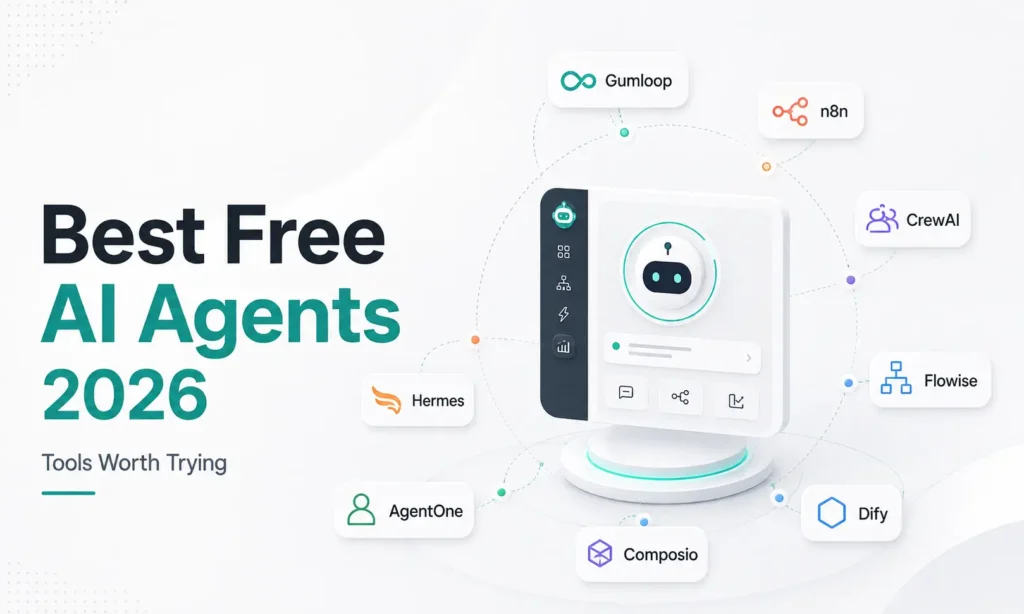
Quick answer: Free ai agents are AI tools that can actually do things, not just chat, sending emails, updating spreadsheets, pulling data, without you doing each step by hand. The best free ai agents right now range from beginner-friendly (Gumloop, free plan, no coding needed) to fully free and self-hosted (n8n, CrewAI) for anyone comfortable with a bit of technical setup. Free tiers on most ai agent platforms are genuinely usable for testing and light use, but nearly every one hits a ceiling (credits, one active workflow, limited integrations) once you’re using it for real, daily work.
What’s an AI Agent, Actually? (In Plain English)
If you’ve used ChatGPT or Claude, you’ve used an AI that talks. An AI agent is a step further: it’s an AI that can take real actions, sending an email, updating a spreadsheet, pulling data from your website, posting to Slack, without you doing each step manually. You describe the outcome you want, and the agent figures out the steps and does them.
Think of the difference this way: a chatbot answers “how do I write a follow-up email to a client?” An agent actually writes the email, finds the client’s contact details in your CRM, and sends it, on its own, based on a rule you set once.
This matters for a simple reason: it’s the difference between AI saving you time on individual tasks versus AI actually doing the task for you. That’s exactly why so many people are now searching for free ai agents specifically, testing this before paying for it makes sense.
A Real Example, So This Isn’t Abstract
Here’s a workflow marketers are genuinely building right now, based on current usage patterns: a small agency wants a weekly newsletter for its own audience. Instead of someone manually pulling recent blog posts, writing a summary, and formatting an email every week, an AI agent is set up to do it automatically: it checks the blog for new posts, pulls the key points, drafts a newsletter, and either sends it or queues it for a quick human review. What used to take an hour every week becomes a five-minute review instead.
Client onboarding is another common one: when a new client fills out an intake form, an agent can automatically create their record in your CRM, generate a welcome document using their answers, and notify your team, all before anyone on your side has manually touched anything. We’ll cover this specific use case in more depth in a dedicated guide, since it’s one of the highest-value automations for a small agency to set up.
The Honest Reality Check
Before the tool list, worth knowing: agentic AI (the broader term for this category) is genuinely booming, one industry report estimates the agentic AI market at $12-15 billion in 2026, and 71% of companies say they’re already deploying AI agents. But according to a widely cited 2026 industry report, only about 11% of these projects actually make it into real, ongoing use. The rest stay stuck in testing, or quietly get abandoned.
Why does this happen so often? The most common pattern: someone gets excited about ai agents after seeing a demo, tries to automate an entire complex process on day one, hits a confusing error or an edge case the agent handles badly, and gives up. The fix isn’t a better tool, it’s a smaller starting point. This is doubly true when you’re testing free ai agents specifically, since free tiers are built for exactly this kind of small-scale experimentation, not a full production rollout on day one.
That’s not a reason to avoid AI agents. It’s a reason to start small. Pick one specific, annoying task (drafting a report, tagging inbound leads, generating a first-draft email) rather than trying to automate your entire business at once. Small, working automations beat big, ambitious ones that never get finished.
Getting Started: Your First Automation, Step by Step
If this is your first time trying any of the best free ai agent tools below, here’s a realistic path that avoids the mistake described above:
- Pick one task you do repeatedly and find annoying, not your most complex process. A weekly report, a routine follow-up email, or tagging new leads are all good starting points.
- Write down the exact steps you currently do manually. This becomes the instructions you’ll give the agent, and doing this on paper first catches confusion before you’re inside the tool.
- Choose a beginner-friendly tool first (Gumloop or AgentOne from the list below), even if you’re technical enough for something more powerful. Getting one small win builds the confidence and understanding to move to a more flexible tool later.
- Test it on a low-stakes version of the task first. Run it on an old lead or a draft report, not a live client interaction, until you trust the output.
- Only then expand. Once one automation genuinely works and saves you time every week, that’s the signal to try a second one, or move to a more powerful tool if you’ve hit that free tier’s limits.
Best Free AI Agents Tools, Explained Simply
Here’s a rundown of the ai agent platforms worth actually trying right now, each explained in plain language with what the free plan genuinely gives you.
1. Gumloop
Best for beginners, no coding needed You describe what you want in plain English, and Gumloop builds the workflow for you. It connects to Slack and other tools you likely already use, and it doesn’t require you to bring your own AI subscription, the AI access is built in. Free plan: Generous enough to test and build simple workflows. The catch: you get 5,000 free credits and one active automation running at a time, real daily use will hit that ceiling fairly quickly, after which it’s $37/month.
2. n8n
Best fully free option, some technical setup required n8n connects to over 400 different apps through a visual, drag-and-drop editor, no traditional coding required, but you do need to install and run it yourself (a process called “self-hosting,” meaning it runs on your own computer or server instead of someone else’s). This takes a bit of technical comfort, often using a tool called Docker to get it running. Free plan: Genuinely free forever if you self-host it yourself, since you’re not paying a company to run it for you.
3. CrewAI
Best for developers who want multiple agents working together CrewAI lets you set up a “crew” of AI agents that each handle a different job, one researches a topic, another analyzes the findings, a third writes the final content, and they hand work to each other automatically. This is a genuine developer tool; you’ll need to be comfortable writing some code (specifically Python) to use it. Free plan: Completely free, open-source, no paid tier at all.
4. Flowise
A simpler, visual way to build what CrewAI does Flowise gives you a drag-and-drop interface for building AI agents and automated research pipelines, without writing code the way CrewAI requires. It’s built on a popular AI development framework called LangChain, but Flowise hides most of that complexity behind a visual builder. Free plan: Free to use, though customization beyond the built-in building blocks is limited.
5. Dify
An all-in-one option for testing and refining AI apps Dify combines building an AI agent with tools for testing, monitoring, and refining it in one place, useful if you want to keep iterating on a workflow rather than just setting it and forgetting it. Free plan: Free tier available for getting started.
6. Composio
Best if your agent needs to securely connect to many business apps Composio focuses specifically on giving AI agents safe, managed access to business tools (CRMs, email, calendars) without you having to manage complicated security settings for each one yourself. Free plan: Free tier available, paid plans scale with usage.
7. AgentOne
Good for non-technical users testing cloud-based automation Similar to Gumloop, you describe what you want and the platform builds it. It integrates with Slack for triggering agents directly from a message. Free plan: 5,000 credits and one active trigger, enough to experiment and build a proof of concept, but real production use hits the ceiling quickly.
8. Hermes
For power users who want an agent that improves itself over time Hermes is unusual in that it builds what its creators call “Skill Documents,” essentially notes on how it solved past tasks, so it gets better and faster the more you use it. It remembers context across sessions and includes over 40 built-in tools for things like web search and file management. A desktop app released in mid-2026 made it usable without needing to know command-line tools. Free plan: Free, though it requires more setup comfort than Gumloop or AgentOne.
Quick Comparison
| Tool | Coding Needed? | Free Tier | Best For |
|---|---|---|---|
| Gumloop | No | 5,000 credits, 1 active workflow | Total beginners |
| n8n | No, but self-hosting takes setup | Free forever if self-hosted | Best all-around free option |
| CrewAI | Yes (Python) | Fully free | Developers, multi-agent projects |
| Flowise | No | Free, limited customization | Visual builder without coding |
| Dify | Minimal | Free tier | Iterating and testing AI apps |
| Composio | Varies | Free tier | Secure access to many business apps |
| AgentOne | No | 5,000 credits, 1 trigger | Non-technical, cloud-based testing |
| Hermes | Some setup | Free | Power users, long-term improvement |
What About Zapier and Make?
Both are well-known automation tools that now include AI features too, and both are genuinely worth considering. Since comparing them properly against n8n deserves its own space, we’ve covered that head-to-head in a separate, dedicated guide rather than squeezing a rushed comparison in here.
How to Pick the Right Free AI Agent for You
- No technical background at all, want to start today: Gumloop or AgentOne.
- Comfortable with a little technical setup, want something genuinely free long-term: n8n.
- You or someone on your team can code: CrewAI or Flowise, CrewAI if you want full control, Flowise if you want a visual interface.
- You need an agent to safely touch a lot of different business tools: Composio.
- You want an agent that gets smarter the more you use it: Hermes.
Whichever free ai agent you choose, start with one small, specific task rather than trying to automate everything at once, that’s the single biggest factor separating the 11% of agentic AI projects that actually stick around from the 89% that don’t.
If you’re exploring the broader AI tools landscape beyond just free ai agents, our best free Google AI tools for digital marketing and AI tools cost guide for India are both worth reading alongside this one. And if you’re building AI-driven workflows into a client-facing service, our AI Digital Marketing course covers how to package this kind of work professionally.
FAQ Section
Q: What’s the difference between an AI agent and a chatbot like ChatGPT? A: A chatbot answers questions and has a conversation. An AI agent takes real actions, sending emails, updating records, pulling data, based on instructions you set up once, without you doing each step manually.
Q: Are free ai agents actually usable, or just a limited trial? A: Genuinely usable for testing and light, regular use, not just a teaser. Most hit a real ceiling (credits, one active workflow) once you’re relying on them daily, but the free tier itself isn’t fake, tools like n8n and CrewAI are free indefinitely if self-hosted.
Q: Is n8n really free, or is there a hidden cost? A: n8n itself is free if you self-host it, meaning you run it on your own computer or server. The only real cost is your own time setting it up, and potentially a small server cost if you host it somewhere other than your own machine.
Q: Do I need to know how to code to use an AI agent tool? A: No, not for tools like Gumloop, AgentOne, or Flowise, all three are built around plain-English instructions or drag-and-drop interfaces. CrewAI is the exception on this list; it genuinely requires coding knowledge.
Q: Why do so many AI agent projects fail to reach real use? A: Based on current industry reporting, the biggest reason is trying to automate too much at once rather than starting with one specific, well-defined task. Companies that start small and expand gradually tend to have far better success than those attempting a full, complex automation from day one.