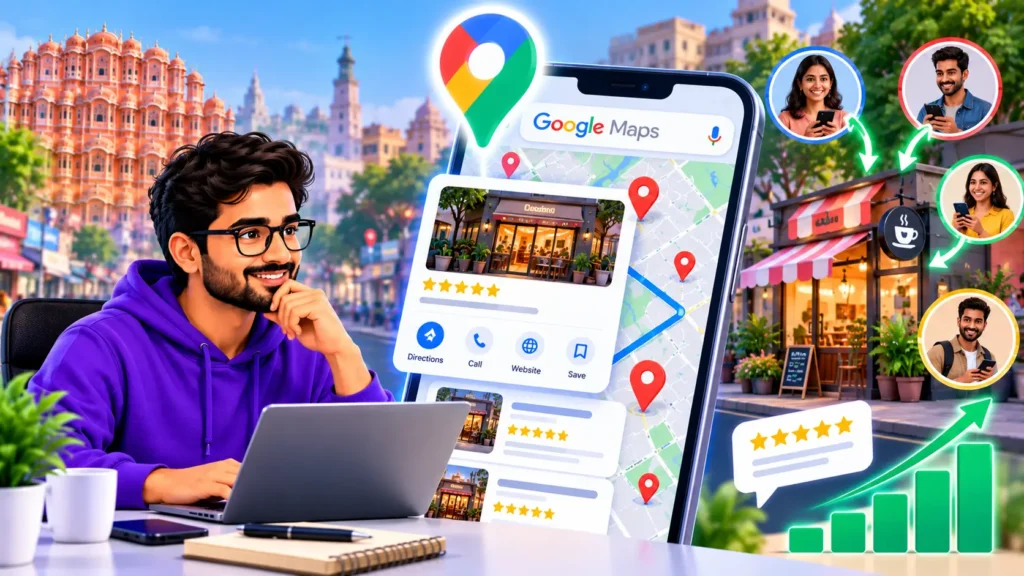
Many business owners focus only on ranking higher on Google Maps. But a high ranking does not pay your bills. Customers do.
A person who finds your business on Maps decides in a few seconds. They look at your rating, a few photos, your hours and your phone number. Then they call, ask for directions, visit your website, or move on to the next business.
This guide is about the second half of the job: turning the people who see your listing into customers. It covers marketing through your own Google Business Profile, not tools that collect business data from Maps.
Getting views but few calls? That is usually a profile problem, not a ranking problem. Book a call with Ankit and find out whether you need ranking work, optimization, or both. Book a call
The simple path from search to customer
Think of Google Maps leads as a short journey:
- Seen: your business appears when someone searches.
- Chosen: they click or tap your listing instead of a competitor’s.
- Contacted: they call, request directions, message you or visit your website.
- Converted: they become a paying customer.
Ranking improves step 1. Everything in this guide improves steps 2, 3 and 4. If you are not yet appearing at all, start with our guide on why your business is not showing on Google Maps, and if you want to know your position, see how to check your Google Maps ranking.
9 ways to get more customers from Google Maps
1. Fix the basics first
Before anything else, make sure your profile is verified, your primary category matches what you actually sell, and your address, phone number and hours are correct. A wrong phone number or outdated hours loses customers instantly, however well you rank.
The full process is in our guide to Google Business Profile optimization.
2. Use your real business name
Use the name customers know you by, exactly as it appears on your signage. Adding extra keywords to the business name may look tempting, but it can break Google’s guidelines and put your profile at risk. Check the current guidelines before you edit your name.
3. Write a description that sells
Your description is a short sales pitch. Say what you do, who you serve, where, and what makes you a good choice. Write it for a customer first. Include your main services and location in natural language, and avoid stuffing keywords.
4. Add real photos and videos
People judge a business by its photos before they ever call. Add clear photos of your shopfront, inside, team, products and work. Real photos build more trust than stock images. Update them regularly so your profile looks active.
5. Build reviews the right way
Your rating and reviews are often the deciding factor between you and a competitor.
- Ask happy customers to leave a review, ideally right after a good experience.
- Share your review link by WhatsApp or SMS so it takes them one tap.
- Reply to every review, including negative ones, politely and specifically.
- Never buy or fake reviews. Check Google’s current policy on what is allowed, including whether you can offer anything in return for a review.
In India, WhatsApp is often the easiest way to reach customers. If you do not yet use it for your business, see our WhatsApp Business setup guide.
6. List your services and products
Add every service or product you offer, with short descriptions and prices where it makes sense. This helps Google understand what you do, and it helps customers see that you offer exactly what they need.
7. Post updates and offers
Use your profile’s posts feature to share offers, news and events. Fresh posts show customers that you are active and give them a reason to contact you today. Keep each post clear and include a single action.
8. Turn views into calls and directions
This is where most profiles lose leads. Your goal is to make contacting you effortless.
To get more calls:
- Double-check that your main phone number is correct and answered during your listed hours.
- Keep opening hours accurate, including holidays. A customer who calls a closed shop will not try again.
- Make sure you can respond quickly. Missed calls are lost customers.
To get more direction requests:
- Make sure your map pin is on your exact entrance.
- Add accurate address details and, if relevant, parking or access information.
- Use photos that help people recognise your shopfront from the road.
To get more website visits and messages:
- Link to a page that matches the search, such as a service page, not just a home page.
- Make the contact options on that page simple, including a WhatsApp link if you use it.
9. Track what is working
Your Business Profile shows how people found you and what they did next. Depending on how Google currently presents it, this can include searches that showed your profile and actions such as calls, direction requests and website clicks. Where and how Google shows this changes over time, so check the performance or insights section of your profile.
To track website visits from your profile more clearly, you can add tracking parameters to the website link on your profile, then see that traffic in your analytics. Set it up carefully and test the link.
Check your numbers monthly. If views are high but actions are low, improve photos, reviews and contact details. If views are low, focus on ranking. Our guide on how to rank higher on Google Maps covers that.
Not sure which problem you have: visibility or conversion? Book a call with Ankit. He will look at your profile and tell you where your leads are leaking. Book a call
Can you pay for more customers from Google Maps?
Yes. Google offers paid advertising options that can show your business more prominently in Maps and search. This is a separate topic from the free methods above, and costs and formats change, so check Google Ads’ current options before you spend. The free methods in this guide improve results from both paid and organic traffic, so it makes sense to fix them first.
Common mistakes that cost you customers
- Wrong phone number or hours
- Leaving reviews unanswered
- Very few photos, or only old photos
- A map pin in the wrong place
- Linking to a home page that does not match what the customer searched for
- Focusing only on ranking and ignoring conversion
Should you do this yourself or get help?
Most of the steps above can be done by you in a few hours. If you do not have the time, or you have done them and results are still weak, an expert review can show what is missing. Our comparison of agency vs DIY Google Business Profile optimization helps you decide, and the guide on Google Business Profile optimization cost in India shows what to expect to pay.
Frequently asked questions
How can I get more customers from Google Maps?
Make sure your profile is complete and accurate, collect and reply to reviews, add real photos, list your services, and make calling and getting directions easy. Then track calls, direction requests and website visits in your profile and improve whatever is lagging.
Is Google Maps marketing free?
Setting up and managing a Google Business Profile is free. Paid advertising options exist separately. Check Google’s current terms for details.
What are Google Maps leads?
Google Maps leads are customers who find your business on Maps and contact you, for example by calling, asking for directions or visiting your website. This guide is about earning those leads through your own listing.
How long does it take to get more customers from Google Maps?
It depends on your competition and your starting point. Fixing wrong details and adding photos can help quickly, while building reviews and ranking takes longer. I cannot promise a specific timeline.
Google Maps se customers kaise laye?
Sabse pehle apni Google Business Profile ko verify karein aur sahi phone number, timing aur address daalein. Phir real photos, services aur reviews add karein. Customers ko review dene ke liye WhatsApp par link bhejein aur har review ka reply dein. Aakhir me profile ke performance data me dekhein ki kitne calls, directions aur website clicks aa rahe hain.
Ready to turn Google Maps into a steady source of customers?
Some businesses need to be seen more. Others are already being seen and need to convert better. Knowing which one you are saves months of guesswork and money.
On a call, Ankit reviews your profile and tells you whether you need ranking work, profile optimization, or both, and what to do first.
Book a call with Ankit and get a clear plan to rank or optimize your Google Business Profile.